Website performance is no longer a nice to have. It shapes how users feel about your brand, how easily they complete key actions, and how confidently they convert.
When pages load slowly, people hesitate, abandon forms, and bounce before they see your value.
Google also measures user experience signals such as Core Web Vitals, so speed can influence visibility as well as revenue.
This guide shows what slows sites down, which metrics matter most, and the fixes that deliver results.
Message Lucidly on WhatsApp for a clear performance review—so you can prioritise the fixes that improve speed, UX, and conversions before you invest in redesigns or new features.
What Website Performance Really Means
Website performance isn’t just “load time.” It’s how fast, stable, and responsive your site feels from the moment a user taps to the moment they complete an action.
Strong website performance means your content appears quickly, your page doesn’t jump around, and interactions (menus, forms, buttons) respond instantly—especially on mobile networks and mid-range devices.
Why Speed Changes Behaviour
Speed affects how people judge your brand. A fast site feels professional and trustworthy; a slow site feels risky—especially on service pages, checkout flows, and lead forms.
This is why website performance improvements often lift conversions even when design stays the same.
Here’s what users typically do when a page feels slow:
They stop scrolling and wait (or leave).
They miss key content that loads late.
They abandon forms if inputs lag.
They bounce if the page looks broken while loading.
The Metrics That Matter Most
If you want website performance that translates into better SEO and stronger conversion, measure the right things.
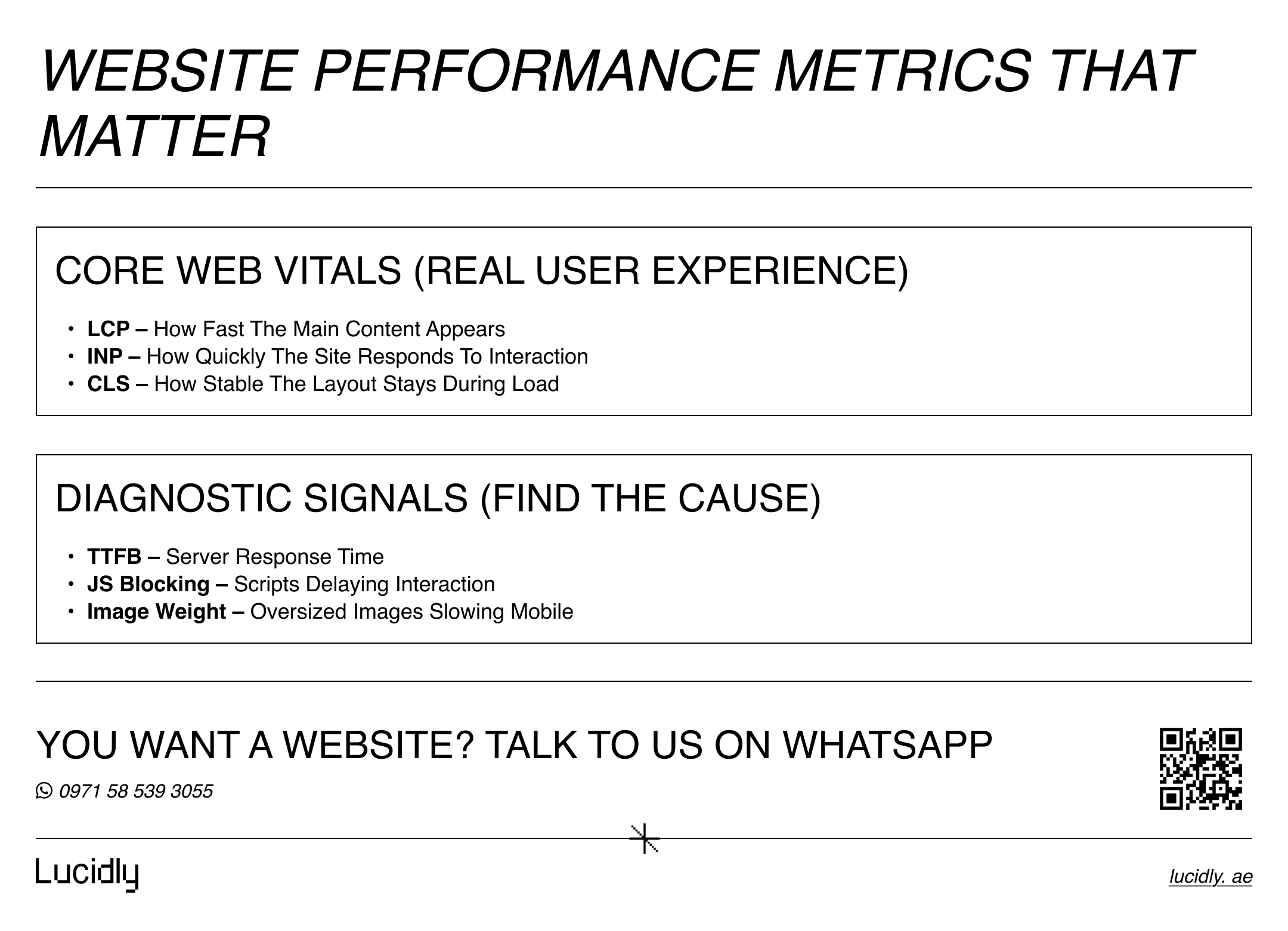
Google’s Core Web Vitals focus on real-user experience: loading, responsiveness, and visual stability.
As confirmed by Google Search Central, Core Web Vitals are designed to measure real user experience by focusing on loading performance, interactivity, and visual stability.
Start with the core signals:
LCP (Largest Contentful Paint): how fast the main content appears
INP (Interaction to Next Paint): how quickly the page responds to taps/clicks
CLS (Cumulative Layout Shift): how stable the layout stays while loading
Then use diagnostic metrics to find the cause:
TTFB (Time to First Byte): server response time.
Total Blocking Time (lab signal): heavy JavaScript delaying input.
Image payload size: oversized media slowing mobile.
Ready to Build a High-Performance Website?
Turn strategy into results with Lucidly’s custom web development solutions — built for speed, SEO, and business growth.
👉 Book Your Web Development Consultation
Where Website Performance Breaks Most Often
Most slow sites aren’t slow for one big reason—they’re slow because of many small leaks. Improving website performance is usually about removing bottlenecks you’ve accumulated over time.
The most common culprits are:
Heavy hero images (largest element is uncompressed).
Too many third-party scripts (chat widgets, heatmaps, tag stacks).
Render-blocking CSS and fonts.
Unused JavaScript from themes, plugins, or frameworks.
Slow hosting or overloaded database.
No caching strategy for dynamic pages.
Tip: if your site “looks fine” on desktop Wi-Fi but fails on mobile data, test on mobile first.
the right web development can help you improve your website performance
The High-Impact Fixes in Priority Order
You don’t need 50 optimisations. You need the 6–8 that create real change. The goal is measurable website performance improvements, not perfection.
Use this simple order: fix what appears first (LCP), then what blocks interaction (INP), then what causes visual instability (CLS).
1) Fix the LCP Element (Usually Images or Hero Sections)
Your LCP element is often a hero image, banner, or headline block. Improve it first because it impacts perceived speed and Core Web Vitals.
Do this next:
Compress and resize images to what the layout actually needs.
Serve modern formats (WebP/AVIF where supported).
Use responsive images (srcset) so mobile doesn’t download desktop files.
Avoid loading sliders/carousels as the first content.
2) Reduce JavaScript That Delays Interaction
If users tap and nothing happens, you don’t have a design problem—you have a responsiveness problem. Modern Lighthouse audits help surface what’s slowing interactivity.
Prioritise these moves:
Remove unused scripts and plugins.
Defer non-critical JavaScript.
Split bundles so critical UI loads first.
Audit third-party tags and keep only what you can justify.
3) Eliminate Layout Shifts (CLS)
Layout shift is what makes a page feel broken. It’s also one of the easiest Core Web Vitals to improve with disciplined layout rules.
Focus on:
Reserving space for images, embeds, and ads.
Avoiding late font swaps without proper fallback sizing.
Not injecting banners above content after load.
4) Improve Server Response (TTFB)
Great front-end optimisation can’t hide a slow server. If TTFB is high, your website performance ceiling is low.
High-return server fixes:
Enable full-page caching where possible.
Add object caching for database-heavy sites.
Move static assets to a CDN.
Review hosting limits (CPU, memory, PHP workers).
5) Optimise for Perceived Speed
Users don’t need everything fast—users need the right thing fast. web.dev highlights user-centric metrics because that’s what people actually feel.
Make pages feel fast by:
Loading critical CSS first.
Lazy-loading below-the-fold images.
Preloading only truly critical fonts.
Delaying non-essential analytics until after initial render (when acceptable).
learn more about: Responsive Web Design: Why Your Website Must Work on All Devices
How to Test Website Performance Properly
Resizing a browser or “it feels okay on my laptop” is not a test. Real website performance work mixes lab tools (repeatable) with field data (real users).
Use this workflow:
Run Lighthouse in Chrome DevTools to spot obvious issues.
Use PageSpeed Insights to view lab + field data together (CrUX).
Check Search Console Core Web Vitals reports for patterns by template.
Then validate fixes on your most valuable pages first:
Homepage.
Service pages.
Landing pages.
Pricing pages.
Checkout / lead-form flows.
A Practical 30–60–90 Day Responsive Improvement Plan
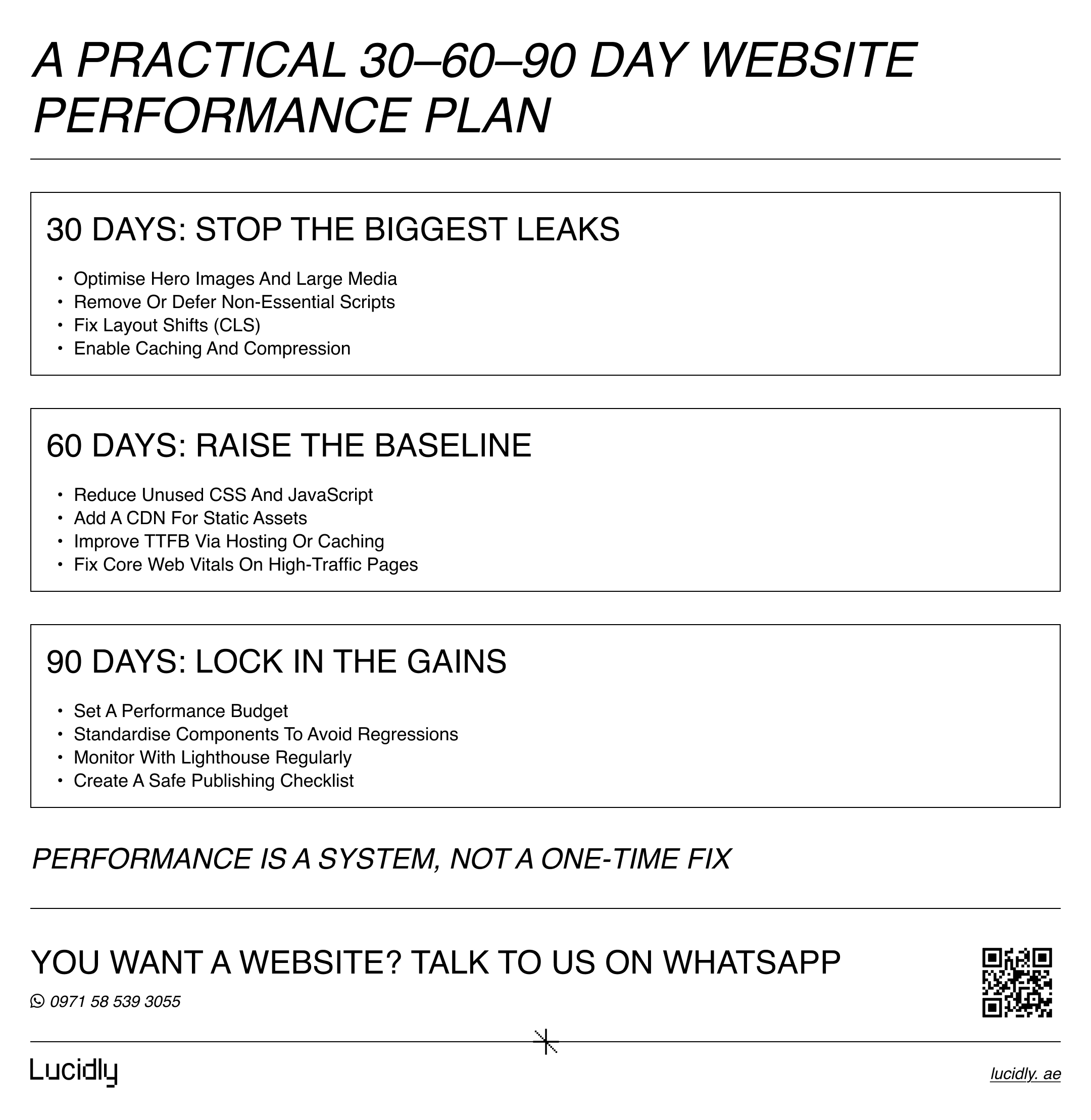
Improving speed doesn’t require a full rebuild overnight. A phased plan keeps changes safe, measurable, and aligned with business priorities—while protecting website performance gains over time.
First 30 days (stop the biggest leaks):
Optimise hero images and large media.
Remove or defer non-essential scripts.
Fix major CLS issues (reserve space, stabilise layout).
Turn on caching and compression.
Next 60 days (raise the baseline):
Reduce unused CSS/JS across templates.
Implement a CDN for static assets.
Improve TTFB via hosting or caching upgrades.
Fix Core Web Vitals on your highest-traffic URLs.
By 90 days (make it maintainable):
Set a performance budget (image sizes, script limits)
Standardise components to avoid regressions
Add monitoring and monthly Lighthouse checks
Document a “safe checklist” for publishing new pages
learn How to Make Your Website SEO-Friendly from a Development Perspective
Frequently Asked Questions
What’s the difference between site speed and site performance?
Site speed is one part of site performance. Performance also includes responsiveness and layout stability across real devices.
Do faster websites always convert better?
Not automatically—but reducing friction usually improves engagement and conversion, especially on mobile and on pages with forms or checkout.
What’s the fastest fix that usually helps most?
Optimising the largest visible element (often a hero image) and removing heavy third-party scripts are the most common quick wins.
Conclusion
Website performance is a growth system: it shapes first impressions, user trust, and the smoothness of your conversion path.
Fixing speed isn’t about chasing perfect scores—it’s about removing friction where users make decisions. Improve LCP, reduce interaction delays, stabilise layouts, and prevent regressions, and you’ll feel the impact in both UX and conversions.
Contact us — or message Lucidly on WhatsApp for a website performance review. We’ll identify what’s slowing your key pages, map the highest-impact fixes, and help you improve speed without disrupting your site or stack.
References
Google Search Central — Core Web Vitals and Google Search: https://developers.google.com/search/docs/appearance/core-web-vitals (Google for Developers)
web.dev — Metrics (user-centric performance): https://web.dev/explore/metrics (web.dev)
Chrome for Developers — Lighthouse Overview: https://developer.chrome.com/docs/lighthouse/ (Chrome for Developers)